
Zoo Tycoon Guide: Essential Zoo Building Tips for Beginners
Optimal Animal Enclosure Placement
Position your animal enclosures to maximize both animal happiness and visitor flow. Group species with compatible environments together to reduce maintenance costs and improve ecosystem balance. Avoid overcrowding by spacing cages with natural barriers or decorations—this also ups the scenic rating, attracting more guests.
- Place quiet, smaller animals near entrances to ease early visitor traffic.
- Isolate aggressive or noisy species deeper in the zoo to prevent stress spreads.
- Use terrain features to separate predator-prey pairs without building extra fences.
This strategic placement cuts down on upkeep and boosts animal health, feeding a smooth progression loop early on.
Basic Visitor Path Planning
Design visitor pathways that keep foot traffic steady but not congested. A good path layout increases guest stay time and spending. Use looped or branching paths rather than straight lines to guide visitors past more exhibits and amenities.
- Connect enclosures with shops and rest areas evenly.
- Avoid dead ends that cause backtracking and reduce exploration.
- Keep paths wide enough for peak visitor volumes without bottlenecks.
Well-planned visitor routes improve your revenue flow and make zoo navigation feel natural in short gaming sessions.
Resource Allocation for Growth
Balance your spending between immediate upgrades and long-term expansions. Early investment in animal care supplies and enclosure upgrades pays off by escalating visitor satisfaction and repeat visits. However, don’t neglect marketing or staff hiring, which fuel steady income and lower operational hiccups.
Focus your resources on:
- Upgrading popular animal habitats first for maximum happiness boost.
- Hiring enough vets and caretakers to maintain animal health.
- Expanding visitor services like food stalls and seating to maximize guest comfort.
This approach maintains a reliable resource cycle, essential for smooth zoo upgrade pacing and replayability. For deeper zoo management strategies, check out our zoo management game guide.
Top 3 Zoo Management Strategies to Maximize Your Profits
Balancing Animal Care & Budget
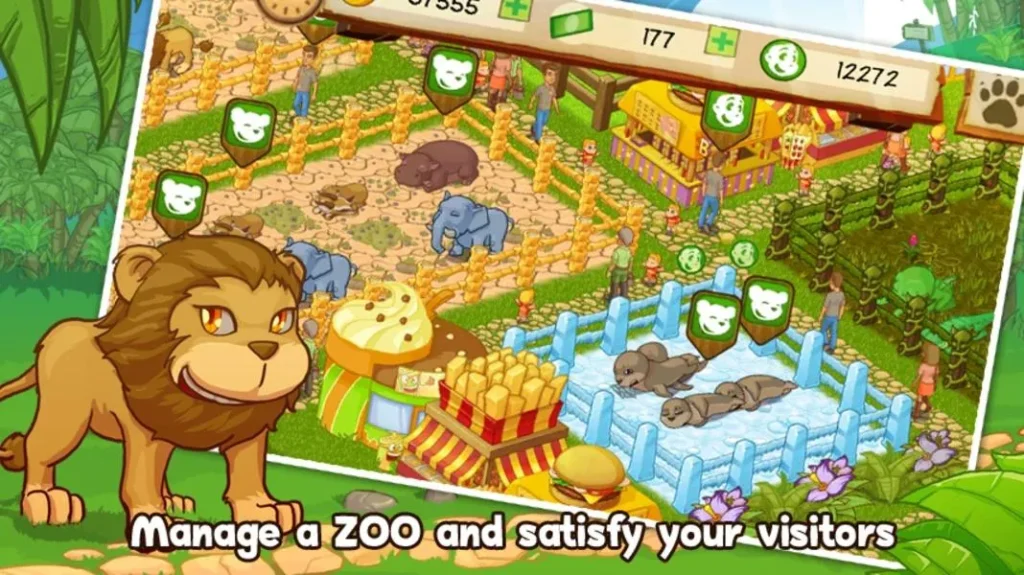
Maintaining animal happiness directly impacts visitor retention and spending. Prioritize funding daily care routines like feeding and medical checkups, but avoid over-investing early on.
- Upgrade enclosures selectively—focus on high-traffic or rare species for a bigger happiness and reputation boost.
- Use automated feeders or caretakers in idle-friendly zoos to cut micromanagement without sacrificing health.
- Keep an eye on cost-per-animal ratios; overpopulation can spike expenses without proportional revenue.
Smart budget balancing sustains steady income while scaling up your zoo efficiently.
Seasonal Event Planning
Events shake up visitor patterns and can spike profits when timed right. Plan seasonal attractions such as holiday-themed exhibits or limited-time animal shows.
- Schedule events during expected low-traffic periods to even out daily revenues.
- Promote exclusive animals or discount bundles in conjunction with events to boost attendance.
- Track visitor feedback to refine event timing and offerings over multiple play sessions.
Events add valuable pacing variation and replayability, rewarding players who strategize timing.
Staff Management Hacks
Your staff impact efficiency, visitor satisfaction, and animal health in subtle but crucial ways. Managing them well cuts downtime and boosts zoo reputation.
- Hire enough caretakers and vets to match your zoo’s size without bloating payroll.
- Cross-train staff when possible—multitasking roles reduce idle time and cost.
- Use staff scheduling features to optimize coverage during peak visitor hours.
Strong staff coordination powers smooth operation and scales with your zoo’s growth, saving resources and maintaining quality.
For a wider dive into managing your zoo’s growth efficiently, check out our full zoo management game guide.
How to Play the Best Online Zoo Simulator Games in Your Browser
Top Browser Zoo Simulators
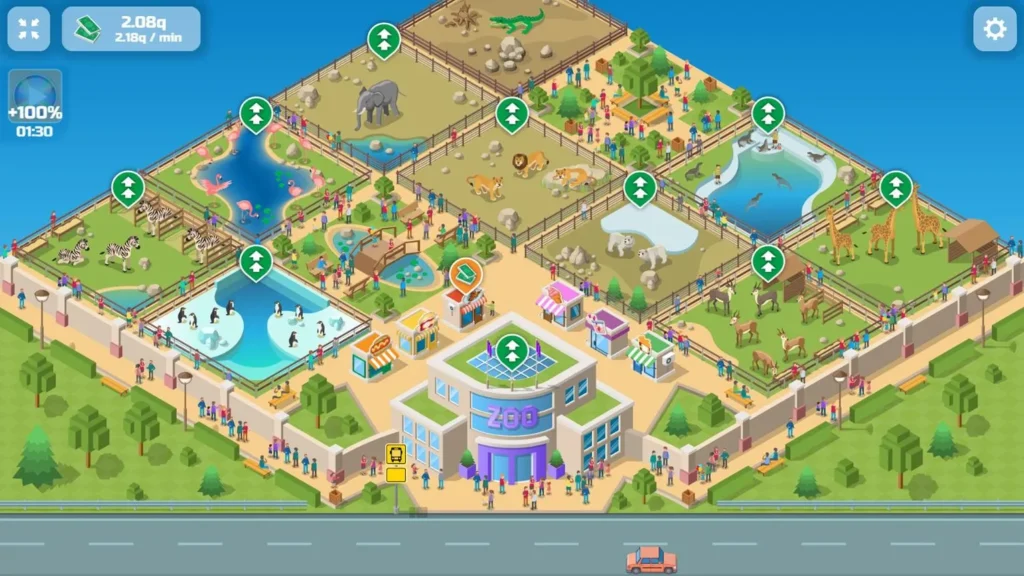
Browser zoo simulators vary widely in gameplay depth and features. Some focus on idle progression, letting you collect resources and upgrade enclosures with minimal clicks. Others emphasize active management, requiring constant attention to animal care and visitor needs.
- Games like Idle Zoo offer streamlined gameplay perfect for casual sessions, with automated upgrade loops and passive income.
- More involved simulators add mini-games for feeding, breeding, or even veterinary care, creating a hands-on experience.
- Look for titles supporting quick save/load so you can jump in during short breaks without losing progress.
Choosing a simulator depends on your preferred pace—idle sims for laid-back growth, active sims if you want detailed control. You can find a blend of both on platforms offering instant browser access with no downloads.
Mobile-Friendly Options
Many top online zoo simulators have mobile-optimized versions or responsive designs that run smoothly on smartphones and tablets.
- Mobile compatibility means you can manage animals and finances on the go without sacrificing functionality.
- Touch-friendly interfaces replace complex menus with intuitive taps and swipes, speeding up routine tasks.
- Some browser games auto-adjust graphics settings for performance, keeping gameplay fluid on lower-end devices.
If you want cross-device progression, check if games sync accounts across browsers and mobile. This flexibility is especially handy for casual players juggling gaming with daily life.
No Download Required Gameplay
One major perk of browser zoo simulators is instant access—no installations or updates needed.
- Games load quickly from any modern browser, removing barriers for quick gaming spurts.
- No download means no storage space used, ideal for devices with limited capacity.
- You can switch games instantly, trying different zoo tycoon guide games or animal clickers without commitment.
This instant play model perfectly suits players looking for casual, session-based gameplay with fast progression pacing. Platforms like Popcorn Games aggregate multiple options so you can dive in immediately and explore zoo management without delay.
For more on instant access and mobile-friendly zoo sims, check out our picks for zoo tycoon games and the idle zoo game.
Comparing Zoo Tycoon Games: Which Browser Game Fits Your Playstyle?
Idle vs Active Gameplay
Zoo tycoon browser games split mainly into idle and active gameplay styles, each catering to different player rhythms. Idle games like Idle Zoo automate feeding and income generation, perfect for quick, low-effort sessions with steady progression. Active sims demand constant input—managing animal needs, visitor moods, and expansions in real time.
- Idle gameplay suits players juggling gaming with other tasks or preferring gradual growth.
- Active games reward attention with deeper zoo customization and visitor interaction.
- Some hybrids combine passive income with periodic mini-challenges to keep sessions engaging.
Decide if you want relaxed, session-spanning gameplay or hands-on control for faster zoo development.
Multiplayer Capabilities
Multiplayer features vary widely, from leaderboards that spark friendly competition to full cooperative zoo building. Browser-based tycoon games often keep multiplayer light to avoid lag but still inject social goals.
- Competitive modes track visitor counts or profits across players, encouraging smart resource management.
- Cooperative events allow sharing resources or guest attractions, speeding up zoo growth.
- Matchmaking often groups players by progression tiers to balance leaderboard races.
If you want a social edge, hunt games with clan features or timed competitions to mix casual and competitive play.
Replayability & Session Length
Replay value hinges on session design and content depth. Browser zoo tycoons range from quick bursts to longer sandbox runs. Short sessions favor games with fast upgrade loops and instant feedback, while longer ones reward strategic planning and evolving challenges.
- Games with randomized events or animal unlocks increase replayability by keeping each playthrough fresh.
- Save/load features help break longer sessions into manageable chunks, ideal for busy players.
- Tiered progression systems unlock new zones or rare species, motivating repeated returns.
Look for games that match your available playtime while offering unlock goals that keep you coming back.
For more zoo tycoon guides that fit various playstyles, check out our guide on games like zoo tycoon or explore top idle games for laid-back fun.
Multiplayer Features in Browser Zoo Tycoon Games: What to Expect
Types of Multiplayer Modes
Multiplayer zoo tycoon games in browsers usually offer three main modes: cooperative, competitive, and social interaction layers.
- Co-op mode lets you team up with friends to build or manage a shared zoo, dividing tasks like animal care and expansion.
- Competitive modes often include leaderboards tracking visitor count or profits, driving rivalry without direct interference.
- Social features such as visiting friends’ zoos or trading resources add ongoing community engagement without heavy time investment.
Some games combine modes for hybrid multiplayer, keeping gameplay fresh with both teamwork and rivalry.
Collaborative Zoo Building
Collaborative multiplayer swings the gameplay toward teamwork and shared progression:
- Players can pool resources for faster upgrades on enclosures or attractions.
- Assigning roles (like curator, financer, or decorator) streamlines task management and increases efficiency.
- Real-time chat or simple signals improve coordination for event planning or problem-solving.
This mode suits players who enjoy social gameplay mixed with strategic management, as synergy speeds up zoo development.
Competitive Leaderboards & Events
Competitive multiplayer elements keep the game engaging over time and reward strategic efficiency:
- Leaderboards focus on metrics like visitor happiness, revenue, or animal diversity, pushing players to optimize their zoo layout.
- Timed events or seasonal challenges pit players against each other under shifting conditions—adding urgency to upgrade loops.
- Ranking rewards often unlock exclusive animals or decorations, creating a progression incentive beyond solo play.
For browsers, leaderboards balance competitiveness with accessibility, since sessions remain short but impactful.
Multiplayer adds a vital social layer to browser zoo tycoon games, extending replayability and engagement. Explore games with these modes to find your ideal blend of competition and collaboration.
Frequently Asked Questions About Zoo Tycoon Gameplay
How to increase visitor happiness fast?
Boost visitor happiness by placing popular animals near amenities and ensuring easy access to food and seating. Upgrade key enclosures first to raise appeal scores quickly. Avoid overcrowded paths that frustrate guests, and add interactive exhibits or photo spots to keep visitors engaged longer. These small layout tweaks generate faster revenue spikes and improve your zoo’s rating.
What are the best animal combos?
Pair animals that share similar habitats to reduce enclosure costs and lower animal stress. For instance, grouping herbivores like giraffes with antelopes creates seamless exhibits. Avoid mixing predator-prey combos in adjacent pens to prevent aggression penalties. Some games reward exotic mixes or breeding pairs with higher visitor interest—experiment with animal variety to unlock bonuses while balancing care expenses.
Can I play Zoo Tycoon games on mobile browsers?
Yes, many popular Zoo Tycoon browser games support mobile devices with responsive interfaces. They feature touch-friendly controls and optimized graphics for smooth gameplay on phones and tablets. Mobile compatibility allows managing your zoo on the go without losing progress, especially in idle or session-based simulators. Check if your chosen game syncs data across devices for the best mobile experience.
For player-focused tips on idle-style growth, explore our detailed idle zoo guide.